


Pipe Trades Pro Calculator
4.8293.00 Reviews
App Specs
- Version
- 10.8.1
- Updated On
- License
- Free
- Downloads
- 50,000+
- Developer
- Calculated Industries
- Categories
- Tools
- Platform
- Android
Screenshots
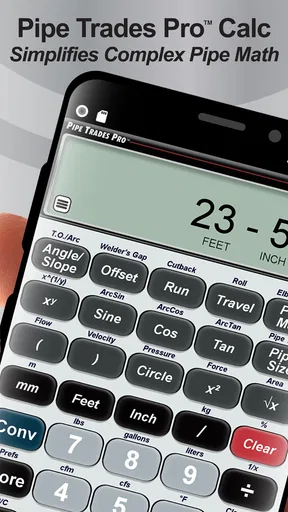
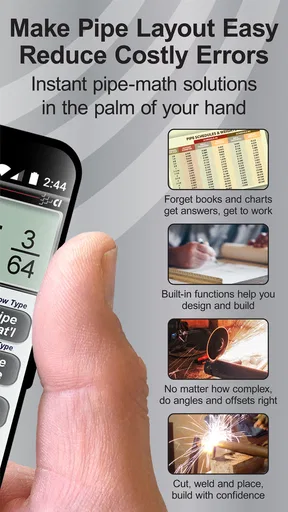
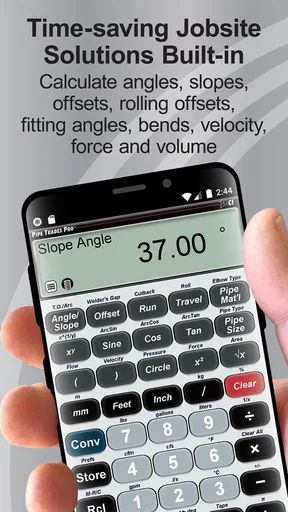
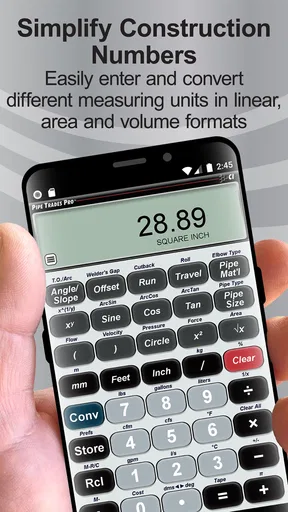
 Analysis by AppCompare
Pipe Trades Pro Calculator is the kind of tools app I would keep on my phone if pipe layout, fitting work, or field calculations were part of my day. It comes from Calculated Industries and focuses on the calculations that can slow a job down when you have to stop, reach for a notebook, or search through a general calculator. After using it, my impression is clear: this is not meant to replace trade knowledge. It is meant to reduce the arithmetic between your measurements and a practical answer.
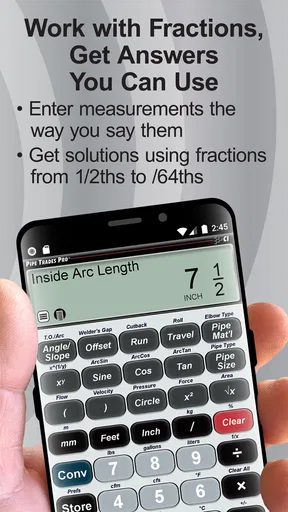
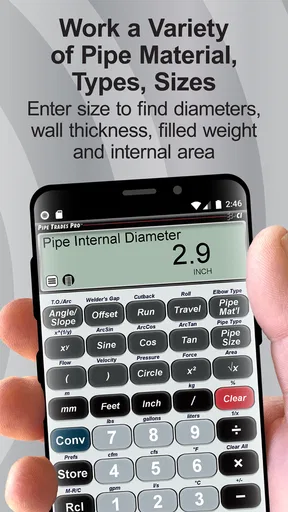
The app is built around rolling offsets, pipe fitting, and weld math. That focus makes it much more useful than a standard calculator for someone working with pipe, but much less interesting for a person who only needs everyday arithmetic. I also like that it belongs to the Tools category rather than trying to present itself as a broad construction suite. Its purpose is narrow, and that narrowness is one of its strongest qualities.
What Pipe Trades Pro Calculator actually offers in the field
The main benefit is speed. Instead of manually combining trigonometry, dimensions, and trade formulas, I can enter the values relevant to a fitting problem and let the app handle the calculation. That matters most when the work is happening away from a desk, where a small arithmetic mistake can mean rechecking a layout or wasting material.
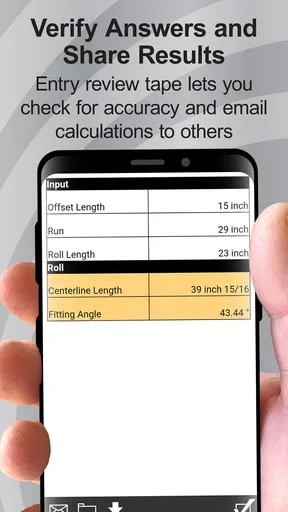
A realistic example would be a pipe run that needs to clear an obstruction while still reaching the intended connection point. I would measure the required offset, enter the relevant dimensions, and use the result to plan the fitting rather than estimating from memory. The app does not make the physical work disappear, but it gives me a more consistent starting point before cutting, fitting, or welding.
That workflow is more valuable than simply having a digital calculator with large buttons. A general calculator can perform multiplication and division, but it does not organize the problem around pipe trades. Here, the point is to move from a field measurement to a trade-specific result with fewer intermediate steps.
One useful habit is to treat the result as a check on the job, not as permission to skip measuring. I would still verify the actual pipe, fitting, angle, and connection conditions before committing material. The app can process the numbers I provide, but it cannot see an obstruction, detect an uneven surface, or know whether the available working space changes the plan.
Why the focused design matters
The app’s specialized purpose gives it an advantage over generic calculator apps. In a general tool, I would need to remember the formula, decide which values belong in it, and possibly write down intermediate results. Pipe Trades Pro Calculator is intended to put those trade calculations closer together, which reduces the mental load during a busy installation.
Worth Reading Before You Choose

EA SPORTS FC Mobile 26 Is a Bigger Football Game, but It Takes Time

Flipboard Shows What News Apps Must Do Beyond the Feed

Switching to Android Auto Means Rethinking Your Driving Routine

Google Calendar Makes a Crowded Week Easier to Manage

Ludo King Makes the Most of the Minutes Between Plans

Baby Panda World Brings Quick Play to Modern Phones, but Its Game Library Feels Busy
That is especially helpful for someone who understands the work but does not want to rely on mental arithmetic under pressure. It can also be useful for learners who are practicing pipe-fitting calculations and want an immediate way to compare their own working with a calculated result. I would not use it as a substitute for learning why the formula works, but I would use it as a practical companion while building confidence.
A less obvious advantage is consistency between jobs. When I solve similar problems repeatedly, using the same dedicated calculator helps me follow the same sequence instead of improvising with a different handwritten method every time. That makes it easier to spot when an input looks suspicious. If the answer seems far outside the range I expect, I can go back and inspect the measurements rather than blindly proceeding.
There is also a useful distinction between preparation and execution. Before starting a job, the app can help me work through possible layouts and compare approaches. During the job, it can provide a quick calculation when the actual conditions differ from the original plan. In both cases, the value comes from reducing calculation friction, not from replacing practical judgment.
Cost, access, and what the price means
Pipe Trades Pro Calculator is free to install, so trying it does not require an upfront purchase. That makes the decision relatively easy for a pipefitter, welder, apprentice, or student who wants to see whether the workflow fits their habits. The app is rated for Everyone, which also makes it approachable from an access standpoint, although the subject matter is clearly aimed at people interested in pipe trades.
The app includes in-app purchases ranging from $0.49 to $39.99 per item. I would therefore separate the free access from the paid value. Installing it costs nothing, but the complete experience may depend on which paid items are relevant to the user. I would check the purchase screen carefully before paying and ask whether the specific calculations I need are already available without an upgrade.
That distinction is important because a free download can be excellent for testing while still requiring a closer look before becoming a professional work tool. If I only need occasional help with a particular fitting problem, the free portion may be enough. If I expect to use the app every day, the higher-priced purchase deserves a more deliberate comparison with the cost of a dedicated physical reference or another professional calculator.
I do not see the purchase structure as an automatic reason to reject it. A tool that saves repeated calculation time can justify spending money, especially when a mistake costs material or labor. I simply would not assume that every useful function is included at no cost. The sensible approach is to install it, test the calculations that match my work, and only then decide whether an in-app purchase delivers enough additional value.
Where it saves time, and where it cannot help
The strongest value appears in repeated, structured tasks. Rolling offsets are a good example because they require attention to more than one dimension and can become awkward when solved from memory. Pipe-fitting and weld math also benefit from a dedicated workflow because the numbers have a direct relationship to the physical job.
One practical tip is to prepare the inputs before opening the calculator. I would write down the measurements in a consistent order, confirm the units, and make sure I am entering the dimension the calculation actually expects. This sounds basic, but it is one of the best ways to prevent a polished-looking wrong answer. The app can make arithmetic faster; it cannot correct a measurement taken from the wrong reference point.
Another useful approach is to use it at two stages. First, I would calculate during planning to identify a workable layout. Then I would repeat the calculation after taking final field measurements. Comparing those two results can reveal whether the real installation has drifted from the original plan. That is more useful than calculating once and assuming the conditions stayed identical.
The limitation is that the app is still a calculator. It is not a complete project-management system, drawing package, material estimator, or replacement for a code reference. If I need detailed documentation, shared plans, extensive project records, or broad engineering analysis, I would choose a different category of tool and use this app only for the calculation portion.
Small tradeoffs that matter during real work
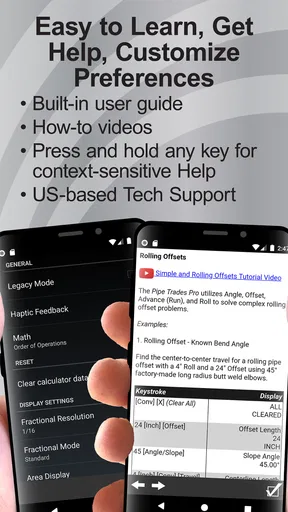
Specialization can make an app efficient, but it also means the learning curve may be less obvious to someone outside the trade. A person unfamiliar with pipe terminology may not immediately know which calculation to choose or which measurements belong in the fields. I would expect an apprentice to use it alongside instruction rather than trying to learn every concept from the interface alone.
There is also a risk of false confidence. A clean numerical result can feel authoritative even when the input is incomplete. For example, the app cannot decide whether the selected fitting is physically available, whether the pipe has enough room for the planned bend, or whether the finished assembly will meet the requirements of the particular job. The number is useful, but it remains one part of the decision.
Another tradeoff is device dependence. A phone is convenient, but field conditions are not always ideal for tapping through calculations. Gloves, dirt, glare, low battery, or a phone stored away for protection can make a physical reference faster in some situations. I would keep a familiar backup method available for critical work rather than relying on one device for every calculation.
The app’s current version is 10.8.1, and it supports devices using Android 7.0 or later. That is helpful for people using older compatible Android hardware, though I would still test the app on the exact phone intended for field use. A calculation tool needs to be dependable in the moment, and practical usability can vary with screen size, input habits, and the condition of the device.
Who will get the most from it
I think the best audience is working pipefitters, welders, maintenance technicians, contractors, and apprentices who regularly face offset or fitting calculations. It also makes sense for students who want a trade-specific calculator while practicing. For these users, the app’s value is not that it teaches every part of the job; it is that it shortens the path from known measurements to a usable calculation.
It may also help supervisors or experienced workers who already know the formulas but want a quick second check. In that role, I would use it to confirm a result before discussing a layout with someone else. That can be particularly useful when several people are working from the same measurements and need a consistent answer.
Occasional DIY users could find it useful, but only if they already understand the pipe work involved. If the project is a one-time household repair and the user is unsure about fitting selection, safe welding practice, or installation requirements, this is not the app I would rely on as a complete guide. A general home-repair resource or qualified professional would be more appropriate.
I would skip it if my needs are mostly ordinary calculations, budgeting, floor plans, electrical work, or general construction estimating. A broad calculator or a category-specific app for those tasks would be a better match. The focused design is valuable only when the user’s problems actually resemble the pipe-trade calculations it targets.
How it compares with the usual alternatives
The first alternative is a paper notebook and a familiar formula sheet. That method remains dependable when the phone is unavailable, and it can help reinforce understanding. Its weakness is speed and the chance of copying a number incorrectly. Pipe Trades Pro Calculator is more convenient for repeated calculations, while paper is better as a transparent backup that shows every step.
The second alternative is a standard calculator app. That option is fine for simple arithmetic and costs nothing in many cases, but it leaves the user responsible for remembering the trade formula and organizing the inputs. This dedicated app earns its place by reducing that preparation. If I only need addition, multiplication, or a quick percentage, I would not open it; if I need a pipe-specific calculation, the specialized workflow is more sensible.
A third alternative is a physical trade calculator or printed reference. These can be excellent for harsh environments and do not depend on battery life. They may also be easier to use with gloves. The phone app is more convenient to carry and easier to update as part of a digital toolkit, but the physical option may still be preferable for crews that work in rough conditions or want a non-electronic fallback.
Finally, some jobs call for professional engineering software or detailed drafting tools. Those are better when the calculation is part of a larger design, documentation, or compliance process. Pipe Trades Pro Calculator is strongest at the focused field calculation, not at managing an entire technical project.
My verdict on the free download and paid value
With a 4.8 average from around 1.6 thousand ratings and over 50 thousand installs, the app has attracted a clear audience for its specialized purpose. Those figures do not tell me whether it suits every workflow, but they do support the impression that it is more than a generic calculator renamed for the trades. Its release history goes back to May 24, 2012, which also suggests an established product rather than a brand-new experiment.
My recommendation is to try the free installation if you regularly solve rolling offsets, pipe-fitting problems, or weld calculations. Start with one real but non-critical task, compare the result with your usual method, and pay attention to how quickly you can enter measurements without second-guessing the terminology. That test will tell you more than a feature list.
I would consider an in-app purchase only after confirming that the paid item addresses a calculation I genuinely use. The range from $0.49 to $39.99 per item is wide enough that the value depends heavily on the user’s frequency and the exact functions needed. For a professional who uses it repeatedly, paid access may be reasonable if it replaces slower manual work. For an occasional user, the free portion or a paper reference may be the better choice.
My bottom line: Pipe Trades Pro Calculator is worth trying for people who do real pipe-trade math, but it is not a universal construction calculator. I would recommend it as a focused field companion, with the usual discipline of checking measurements, units, physical fit, and job requirements independently. If that matches your work, the app can remove a frustrating amount of arithmetic from the day. If it does not, its specialized design will feel unnecessary rather than helpful.
For me, the deciding factor is practical repetition. When the same kinds of offsets and fitting calculations appear again and again, a dedicated tool earns space on the phone. When the task is broader, more visual, or dependent on full engineering documentation, I would reach for something else. That is the honest value of Pipe Trades Pro Calculator: focused, potentially time-saving, and most useful when paired with solid trade knowledge rather than used in place of it.
Pros
- Covers a wide range of pipe-trade calculations in one app.
- Useful for checking measurements quickly while working on-site.
- Reduces the need to carry printed reference tables or manuals.
- Results are generally clear and easy to read on a phone screen.
- Can help apprentices verify calculations while learning trade practices.
Cons
- Some advanced features may require familiarity with pipe-trade terminology.
- A small phone screen can make detailed inputs less convenient.
- Incorrect unit selection can lead to misleading calculation results.
- The app may feel unnecessary for users who rarely perform pipe calculations.
- Availability of updates and support may vary by platform and device.
FAQs for Pipe Trades Pro Calculator
What is Pipe Trades Pro Calculator used for?
Pipe Trades Pro Calculator is designed for pipefitters, plumbers, welders, fabricators, and students who need quick calculations while working with piping systems. It can help with common trade tasks such as pipe geometry, offsets, rolling offsets, angles, fittings, and layout measurements. The app is intended to reduce manual calculations, but users should still verify important results against project drawings, applicable codes, and job-site requirements.
Is Pipe Trades Pro Calculator suitable for beginners or only experienced professionals?
The app can be useful for both beginners and experienced tradespeople, although the level of benefit depends on your understanding of pipe-trade terminology and formulas. Beginners may appreciate having calculations organized in one place, but the app does not replace proper instruction or hands-on practice. Experienced users can generally work faster because they already know which calculator to select and how to interpret the results.
Does Pipe Trades Pro Calculator work offline?
For many users, the main advantage of a specialized calculator app is being able to perform calculations directly on a phone without carrying reference books or relying on a constant internet connection. However, offline availability can depend on the version, device, and any online features included by the developer. It is best to open the app once after installation and test the required calculators before depending on it at a remote job site.
How accurate are the calculations in Pipe Trades Pro Calculator?
The app is built to provide practical results from the values entered by the user, but accuracy depends on selecting the correct calculation type, entering precise measurements, and understanding the requested units. A wrong pipe size, angle, fitting allowance, or unit can produce an incorrect result even when the formula is working properly. Always check critical calculations with drawings, company procedures, code requirements, or a qualified supervisor.
Should I download Pipe Trades Pro Calculator if I already use a standard calculator?
A standard calculator can handle basic arithmetic, but Pipe Trades Pro Calculator is more convenient for users who regularly perform specialized pipe-trade calculations. Instead of remembering formulas or searching through notes, you can enter the relevant measurements into a purpose-built tool. It is most worthwhile for professionals, apprentices, and students who frequently calculate offsets, angles, lengths, or fitting-related dimensions rather than only occasional users.


